






Hi,
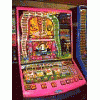
I got a new VideoStar machine which uses a touch screen, it came with another mpu card so I swapped them over to see what it did, it said "No DataCom Port" or something so I swapped the normal mpu card back in and plugged the VGA cable into it, everything went normal except now the touch screen dont work!!
I have made sure the VGA is in both ends, I have turned it on and off a few times, what the hell could be wrong?
Once I turned it on and it said during boot "Touch Screen Not Present" and then carried on as normal, now that message does now appear.
Please give any advice you can.
Thanks!
12 replies to this topic
#2

Guitar
-

- Layout Creator
-

- 2989 posts
Project Amber Developer
Posted 25 April 2008 - 10:22 AM
The screen will have 2 connections probably. 1 for the VGA and another for the touchscreen, which IIRC will be more like a mouse input.
If that cable isn't connected then it wont register the touch screen.
If that cable isn't connected then it wont register the touch screen.
Project Amber 2 - Coming Soon
#3
adamran
-
- New Members
-
- 159 posts
Member
Posted 25 April 2008 - 11:45 AM
The screen will have 2 connections probably. 1 for the VGA and another for the touchscreen, which IIRC will be more like a mouse input.
If that cable isn't connected then it wont register the touch screen.
Hi,
I took the monitor out, it was so heavy I could not see very well what was in the back but from what I can tell everything is in correctly.
Could there be a permanent fault I have caused?
I dont see how removing the mpu card could cause this, I checked what wires where going into it prior to removing it and it was only the VGA, I just wish I could get it working

Thanks for your help.
#4
adamran
-
- New Members
-
- 159 posts
Member
Posted 25 April 2008 - 01:04 PM
Hi,
Just an interesting find,
I have found when I use the buttons to operate the machine when I put it on auto play I can turn off auto play by pressing anywhere on the screen!
So it can tell im touching the screen, yet it still fails to respond to any other request, maybe it needs calibrating, ifso please can someone tell me how?
Thanks!
Just an interesting find,
I have found when I use the buttons to operate the machine when I put it on auto play I can turn off auto play by pressing anywhere on the screen!
So it can tell im touching the screen, yet it still fails to respond to any other request, maybe it needs calibrating, ifso please can someone tell me how?
Thanks!
#5
skabaz
-

- New Members
-
- 2778 posts
Engineer of the World
Posted 25 April 2008 - 06:07 PM
yeah sounds like it needs calibrating.
is there not a screen calibration test through the normal test routines??
baz
is there not a screen calibration test through the normal test routines??
baz
#6
adamran
-
- New Members
-
- 159 posts
Member
Posted 25 April 2008 - 06:53 PM
yeah sounds like it needs calibrating.
is there not a screen calibration test through the normal test routines??
baz
Hi.
I have found the screen responds to button presses when you press the screen in certain places, eg. if you press the screen near the bottom right corner it holders the middle poker card.
There is no screen calibration through the options (the options you get when you press the button on the mpu card).
Do you know any other way of recalibrating it or do you think Barcrest may not have included a way?
Or is there a way of doing some sort of master reset?
Thanks!
#7
skabaz
-
- New Members
-
- 2778 posts
Engineer of the World
Posted 26 April 2008 - 12:25 AM
there must be a way of calibrating the touchscreen but to be honest i haven't worked on a videostar machine and this was one of their first touchscreen fruit machines.
barcrest would have allowed an option to do this.
what aabout powering the machine up with the refill key turned.
this works on some trivia machines so its worth a try.
baz
barcrest would have allowed an option to do this.
what aabout powering the machine up with the refill key turned.
this works on some trivia machines so its worth a try.
baz
#8
adamran
-
- New Members
-
- 159 posts
Member
Posted 26 April 2008 - 11:10 AM
there must be a way of calibrating the touchscreen but to be honest i haven't worked on a videostar machine and this was one of their first touchscreen fruit machines.
barcrest would have allowed an option to do this.
what aabout powering the machine up with the refill key turned.
this works on some trivia machines so its worth a try.
baz
Hi Baz,
I managed to get it calibrated which fixed it, I put in the refill key and during boot I held in all the buttons other that "Start" and then I could calibrate it.
I do have a couple of other questions though if you wouldn't mind answering,
First on my "lucky lotto" game prior to me swapping the mpu cards around every time I won it would go to a gamble screen where you could double up on a roulette wheel, now though it banks all wins automatically giving no gamble option, annoying since I liked the gamble.
Its not on auto play and has plenty of coins in (and it knows this).
Second the note acceptor only works when I do a "Coin Test", its dead during normal play, know what I need to do to make it work in normal mode?
Thanks a lot, Adam
#9
skabaz
-
- New Members
-
- 2778 posts
Engineer of the World
Posted 26 April 2008 - 02:11 PM
the lucky lotto game feature can be changed again through a test routine(i remember we had one of these for a short time but i didn't get much of a look at it)or it may be a dil switch setting for allowing the gamble.
regarding the note acceptor i would assume that if it works during test and it accepts and credits the notes then it should work on normal play unless a switch setting is disabling it.some early note acceptor machines also needed a switch setting on the mpu/gamecard to be switched on so it would work in normal play.
other than that i cant think why it would not work.
baz
regarding the note acceptor i would assume that if it works during test and it accepts and credits the notes then it should work on normal play unless a switch setting is disabling it.some early note acceptor machines also needed a switch setting on the mpu/gamecard to be switched on so it would work in normal play.
other than that i cant think why it would not work.
baz
#10
adamran
-
- New Members
-
- 159 posts
Member
Posted 26 April 2008 - 05:19 PM
the lucky lotto game feature can be changed again through a test routine(i remember we had one of these for a short time but i didn't get much of a look at it)or it may be a dil switch setting for allowing the gamble.
regarding the note acceptor i would assume that if it works during test and it accepts and credits the notes then it should work on normal play unless a switch setting is disabling it.some early note acceptor machines also needed a switch setting on the mpu/gamecard to be switched on so it would work in normal play.
other than that i cant think why it would not work.
baz
Hi Baz,
got the note acceptor working, as you say it was switched off with a dil.
As for the lucky lotto I still haven't figured that one out, I do have one broken dil switch called "Menu Settings", do you know what Menu Settings are? I doubt its that as I have not changed any dil settings till now and prior to me swapping the program cards the gamble feature was on, what do you mean by "test routine", you mean when I press the test button on the program card, I cant see anything on there of any relevance, its just the same as it is on my regular fruit machines and I cant seem to alter any settings from there?
Thanks, Adam
#11
skabaz
-
- New Members
-
- 2778 posts
Engineer of the World
Posted 26 April 2008 - 05:45 PM
the gamecards you have will probably have 2 different programs on it hence you are getting the gamble feature on one card and not the other.
try putting the original gamecard back in and see if the gamble feature returns.
maybe the only way to change this feature was through a revised program.
baz
try putting the original gamecard back in and see if the gamble feature returns.
maybe the only way to change this feature was through a revised program.
baz
#12
adamran
-
- New Members
-
- 159 posts
Member
Posted 26 April 2008 - 06:04 PM
the gamecards you have will probably have 2 different programs on it hence you are getting the gamble feature on one card and not the other.
try putting the original gamecard back in and see if the gamble feature returns.
maybe the only way to change this feature was through a revised program.
baz
Hi, sorry I was not clear enough, I am used the original game card.
Please can you tell me what you meant by "test routine"?
Also when I put the other game card in it says "No Datapak Comm Found" or something, do you know where I can get a datapak so I can use the other gamecard and see what it does?
Thanks, Adam
#13
skabaz
-
- New Members
-
- 2778 posts
Engineer of the World
Posted 26 April 2008 - 08:50 PM
ok
so one gamecard has data roms in it.you dont need this gamecard at all.you dont want a datapack as they cause problems especially when you dont actually need one.
the test routines just like any other fruit machine where you check payouts and bulbs and such,there may be a setting somewhere which allows you to activate the gamble profile on the machine.
baz
ps sorry i cant be anymore help but i haven't actually worked on one of these machines before.
so one gamecard has data roms in it.you dont need this gamecard at all.you dont want a datapack as they cause problems especially when you dont actually need one.
the test routines just like any other fruit machine where you check payouts and bulbs and such,there may be a setting somewhere which allows you to activate the gamble profile on the machine.
baz
ps sorry i cant be anymore help but i haven't actually worked on one of these machines before.


1 user(s) are reading this topic
0 members, 1 guests, 0 anonymous users

